
October 6th, 2014
dslrBooth for Windows v3.10.6.1 – Camera Setup Wizard
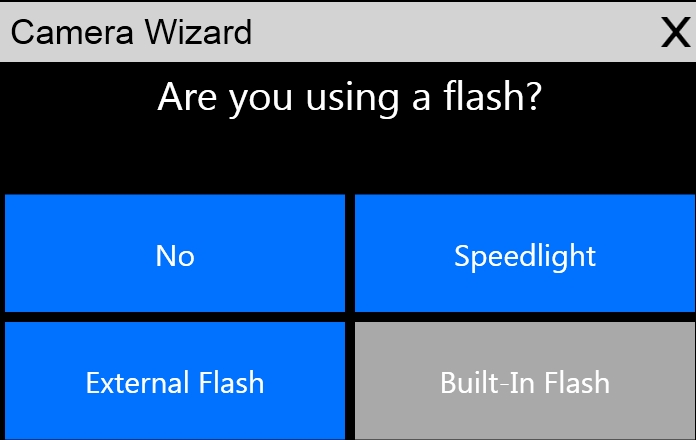
DSLR cameras are awesome, but for many, they have way too many settings that it gets overwhelming. Here at dslrBooth, we’re all about making running your own photo booth a breeze. To that effect, this update brings an awesome camera wizard that will guide you to set up your dslr camera to take properly exposed photos that are neither too bright or too dark. Whether you’re not using a flash or you’re using an on-camera flash or an external flash, our wizard will guide you and even automatically change the camera settings for you to optimal settings to make sure that your photos look their best.
Download the latest version from dslrbooth.com/download or simply startup dslrBooth and agree to install the update.
This release also contains minor bug fixes as well as the following:
- Add option to turn off/on live view auto exposure to accommodate really old Canon dslr cameras.
- Experimental support for live view on Nikon Df. If you’re using one, contact us and let us know how it’s working for you.
Related Articles
Your Booth, Your Look: Style Every Share Button in LumaBooth for Windows 8.5
November 24, 2026
In LumaBooth for Windows 8.5 every share button gets its own color, caption and position, and a Shar...
Read More
The Caricature Artist Who Never Takes a Break: 46 New AI Portrait Styles
November 17, 2026
AI Portraits now include 46 caricature styles in four categories: Black & White, Color, Sticker...
Read More
Scribble Booth: Mirrored Photos and Videos in LumaBooth for Windows 8.3.0
August 11, 2026
LumaBooth for Windows 8.3.0 adds mirrored photo and video capture for mirror and scribble booths, de...
Read More